Pixel Film Studios today introduces Typewriter — a typing animation plugin for Final Cut Pro and Motion that brings the timeless aesthetic of live text entry to title sequences, lower thirds, broadcast graphics, and dramatic reveals. No keyframing. No rigging. Drop it on the timeline, type your words, and Typewriter animates every character with natural, controllable timing. Three typing modes, four cursor styles, full 3D camera control, and real-time 4K playback — the complete typing animation toolkit Final Cut Pro and Motion have been missing.
Typing animation is one of the most recognizable and enduringly useful effects in motion graphics. It appears in crime documentary lower thirds, hacker terminal sequences, news broadcast graphics, cinematic title reveals, retro computer aesthetics, social media content, and conversational UI mockups. The visual language of text appearing keystroke by keystroke has a clarity and immediacy that no other text animation achieves — and until now, producing it convincingly inside Final Cut Pro required either a rigid preset with limited controls or manual character-by-character keyframing that consumed time proportional to how much text needed to animate. Typewriter eliminates both compromises.
Three Typing Modes
Typewriter offers three distinct animation modes that determine how the text reveals itself, each suited to different use cases and aesthetic contexts.
- Character by Character — the classic typewriter effect: each letter appears individually in sequence, giving the impression of real-time typing. The speed, spacing, and rhythm between characters are all adjustable, enabling everything from the rapid-fire typing of a terminal sequence to the deliberate, measured pace of a dramatic reveal.
- Word by Word — entire words appear as units rather than individual letters. This mode reads more naturally for subtitle and caption work where the character-level animation would be distracting, while still conveying the sense that someone is composing the text in the viewer's presence.
- Line by Line — complete lines of text appear in sequence. The preferred mode for multi-line title cards, broadcast lower thirds, and any application where the structural unit of the content is the line rather than the word or character.
Four Cursor Styles
The cursor is the visual element that makes typing animation read as authentic — the blinking indicator that tells the viewer text is being actively entered. Typewriter provides four distinct cursor styles, each appropriate for different aesthetic contexts.
- Line — a clean vertical bar inspired by modern text editors and word processors. The standard cursor for contemporary, clean design contexts.
- Box Outline — a framed rectangular cursor that highlights the current character position. A sleek, graphic look suited for broadcast and UI design aesthetics.
- Solid Block — a filled rectangular cursor reminiscent of classic terminals and early computing. The definitive choice for retro, hacker, or vintage computer aesthetics.
- Underscore — the classic underscore cursor of command-line interfaces and vintage word processing software.
Cursor blink rate, size, color, and opacity are independently controllable for every style. The cursor can be set to remain visible after typing completes, disappear, or continue blinking — giving complete control over how the composition reads after the animation finishes.
3D Camera Control
Typewriter includes full 3D camera controls for positioning and rotating the text in three-dimensional space directly within the plugin. X, Y, and Z position controls move the text through the frame in all three dimensions. X, Y, and Z rotation allows the text to tilt, pan, and bank in 3D — from a subtle perspective angle that suggests depth to a dramatic camera swing that transforms a lower third into a cinematic element. Perspective controls the field of view from flat orthographic to exaggerated wide-angle.
These controls make Typewriter the right tool not just for flat, screen-filling title sequences but for positioned lower thirds that sit at the edge of the frame with correct perspective, for text that appears to exist in the three-dimensional world of the footage, and for motion graphic sequences where the text moves through space as it types.
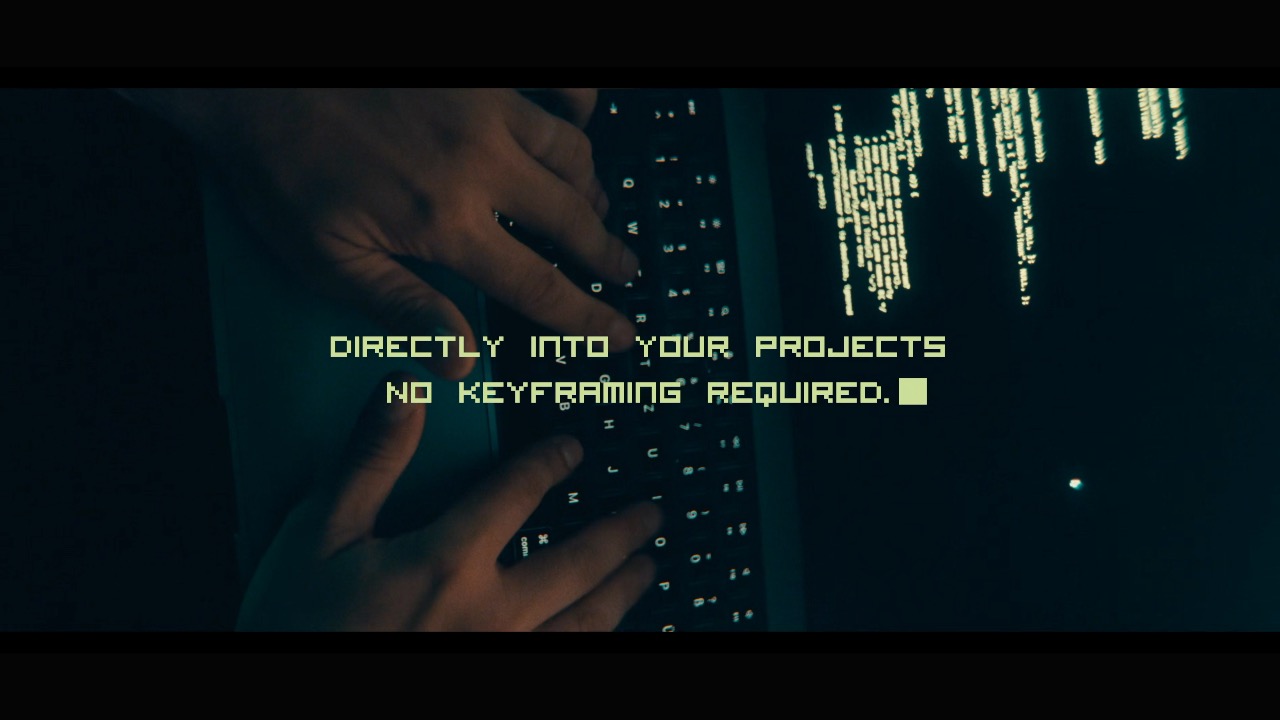
Natural Timing Controls
The rhythm of realistic typing animation is not uniform. Real typing has variation — moments of hesitation, faster runs on familiar words, the pause before a key phrase. Typewriter's timing system gives precise control over this rhythm without requiring manual keyframing of every character.
Speed controls set the overall pace of the animation. Character delay sets the base interval between each letter or word. Variance introduces randomness into the timing — a small variance setting produces slight, organic variations in character timing that make the animation feel lived-in rather than mechanical. A start delay controls how long after the clip begins before the first character appears. All timing controls are expressed in frames, giving frame-accurate control over every aspect of the animation rhythm.
"Typing animation is one of those effects that looks simple but is genuinely hard to do right. The rhythm matters. The cursor behavior matters. Whether it looks like someone is actually typing or like a preset running on a timer matters. Typewriter gives editors the controls to make it feel real — three modes, timing variance, four cursor styles, 3D positioning. Everything you need to build the effect exactly the way the scene calls for it."
— Dave Austin, Founder & CEO, Pixel Film Studios
Use Cases
Typewriter is purpose-built for the full range of typing animation applications in professional video production:
- Title sequences — character-by-character reveals for film and documentary openers
- Lower thirds — name and title cards with typing-in animation and cursor hold
- Terminal and hacker aesthetics — Solid Block cursor, monospace fonts, rapid character-by-character mode
- Broadcast graphics — line-by-line reveals for news and sports statistics displays
- Social media content — word-by-word captions and conversational text reveals
- Dramatic reveals — slow, deliberate character-by-character typing for narrative emphasis
- UI and app mockups — realistic text input simulation for product demo videos
Availability and Pricing
Typewriter is available today at pixelfilmstudios.com for $29.95. One-time purchase, no subscription. Requires macOS Ventura 13.0 or later and Final Cut Pro 10.8 or later. Universal binary — native Apple Silicon and Intel. Installs into both Final Cut Pro and Motion. Installs via the PFS Installer app or by manual download from the customer account page.
About Pixel Film Studios
Founded in 2011, Pixel Film Studios is the leading developer of professional visual effects, titles, transitions, and generators built exclusively for Apple Final Cut Pro and Motion. Over the past 14 years, the company has shipped more than 2,000 products and fulfilled millions of orders for video editors, content creators, broadcast designers, and post-production professionals in over 100 countries. Learn more at pixelfilmstudios.com.
Press Contact
Colin Bauer
Director of Communications, Pixel Film Studios
[email protected]