
Transition Suite
Featured
FCPX Transition Suite
Transition Mega Packs
Staff Picks
Hot Transitions
TransZoom 2
TransZoom 2
TransZoom Mask
TransZoom Mask
Transition Suite
Transition Suite
TransFreeze
TransFreeze
TransZoom 3
TransZoom 3
TransChroma
TransChroma
TransFilm
TransFilm
TransCut
TransCut
WarpSpeed 2
WarpSpeed 2
TransText
TransText
Suite Artistic
Suite Artistic
TransZoom Pixel
TransZoom Pixel
See All Transitions
Title Mega Pack
Featured
FCPX Title Mega Pack
Title Mega Packs
Staff Picks
Hot Titles
Title Mega Pack
Title Mega Pack
Lyric Templates
Lyric Templates
FCPX Stories
FCPX Stories
3D Trailer Pack
3D Trailer Pack
ProIntro Bold
ProIntro Bold
Title Collection
Title Collection
FCPX Reveals
FCPX Reveals
ProIntro Reveal
ProIntro Reveal
ProIntro Travel
ProIntro Travel
ProIntro Selects
ProIntro Selects
ProIntro Minimal
ProIntro Minimal
See All Titles
FCPX Stabilizer 2.0
Featured
FCPX Stabilizer 2.0
Effect Mega Packs
Staff Picks
Hot Effects
Motion Blur
Motion Blur
Stabilizer 2.0
Stabilizer 2.0
Tile Wall
Tile Wall
FCPX Glitch
FCPX Glitch
Looks Suite
Looks Suite
FCPX Camera
FCPX Camera
Lighting Suite
Lighting Suite
Auto-Zoom
Auto-Zoom
HUD Mega Pack
HUD Mega Pack
Animation Pack
Animation Pack
ProPuppet
ProPuppet
LUT Loader
LUT Loader
See All Effects
FCPX Tracker Suite
Featured
FCPX Tracker Suite
Tool Mega Packs
Staff Picks
Hot Tools
Auto Tracker 2.2
Auto Tracker 2.2
Stabilizer 2.0
Stabilizer 2.0
Tracker Perspective
Tracker Perspective
Tracker Suite
Tracker Suite
Surface Tracker
Surface Tracker
Photo Pan & Dolly
Photo Pan & Dolly
FCPX Maps
FCPX Maps
FCPX Disintegrate
FCPX Disintegrate
FCPX Removal
FCPX Removal
FCPX Camera
FCPX Camera
Brush Glow
Brush Glow
See All Tools
Mega Packs — Best Sellers
Social Mega Pack Title Mega Pack Cartoon Mega Pack Transition Suite Logo Reveal Mega Pack Kinetic Text Mega Pack Hand-Drawn Mega Pack Lower Third Mega Pack Backdrop Mega Pack HUD Mega Pack Animation Mega Pack Icon Mega Pack 5K Light Leaks 3D Freeze Frame 3D Backdrop Mega Pack 3D Trailer Mega Pack 3D Title Mega Pack Callouts Mega Pack Guides Mega Pack Stick Figure Mega Pack 3D Lower Third Mega Pack Paragraph Mega Pack Sidebar Mega Pack 3D Logo Transition Quotes Mega Pack Matte Transition Mega Pack Chapter Mega Pack Silhouettes Mega Pack Divider Mega Pack
See All Mega Packs
Hot New Plugins
Loading...
See All New Plugins
✦ One-Time Purchase

Access everything.
Pay once. Keep forever.

Unlock the entire PFS film library — 2,000+ plugins for Final Cut Pro. No subscription, no recurring fees. Includes all film & motion plugins. Audio products sold separately.

$499
one-time · lifetime access
Learn more about Members Club →
  • 2,000+ plugins — transitions, titles, effects, generators
  • Every new release included — new drops weekly
  • Activate on up to 3 Macs
  • Commercial use license included
  • Free updates for life — no hidden costs
  • Priority support & exclusive content
AI Audio Voice Pro
AI Audio Voice Pro — full plugin interface showing spectrogram display, neural gate, de-esser, de-plosive, compressor, and voice enhancer for Final Cut Pro
Audio Unit Plugin for Final Cut Pro

AI Audio
Voice Pro

7-stage AI voice chain.
One click to perfect.

Real-time inside Final Cut Pro · No subscription

AI Audio Voice Pro plugin interface — spectrogram display, 5-stage processing chain, AUTO PROFILE button

Watch AI Audio Voice Pro in action

Five stages. Every voice problem solved.

Gate. De-ess. De-plosive.
Compress. Enhance.

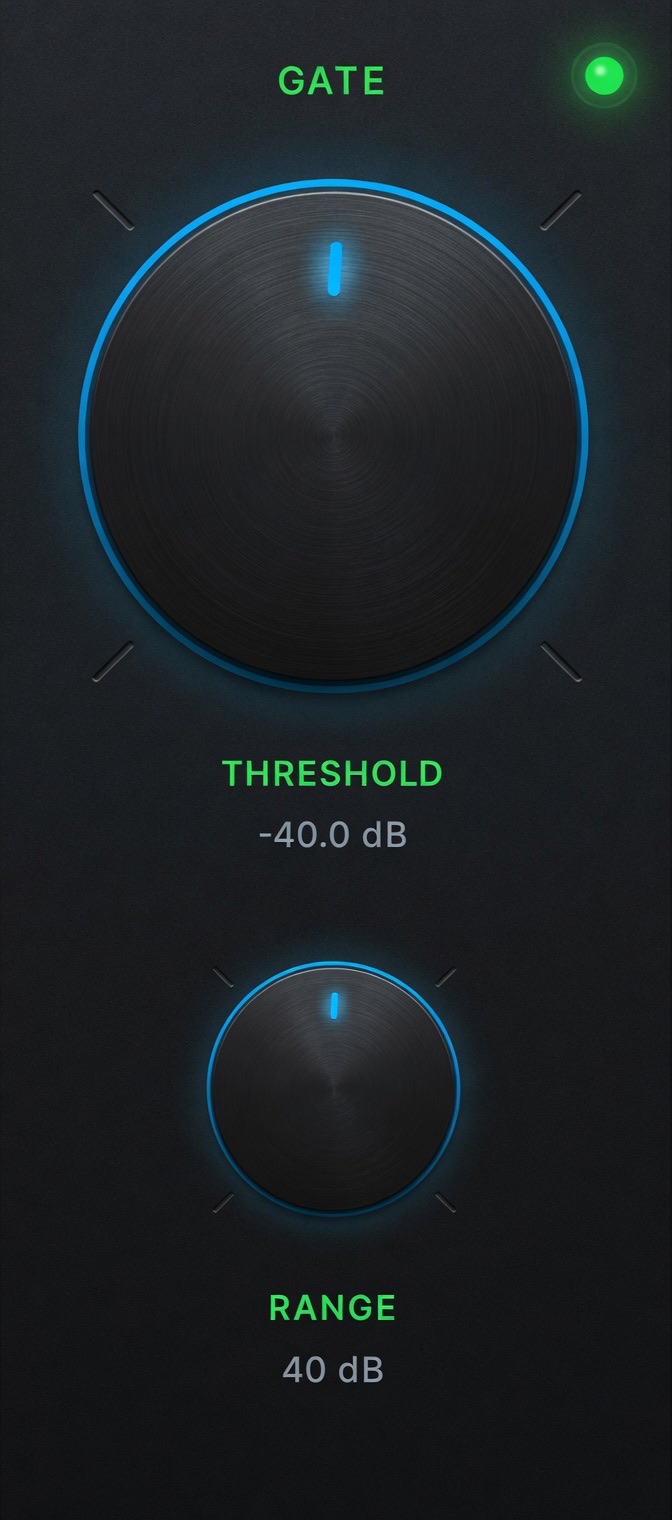
AI Audio Voice Pro Neural Gate controls — threshold -40dB and range 40dB knobs for Final Cut Pro

Neural Gate — Silences everything between words. On macOS 14, Silero VAD understands speech so loud noise can't false-trigger it open.
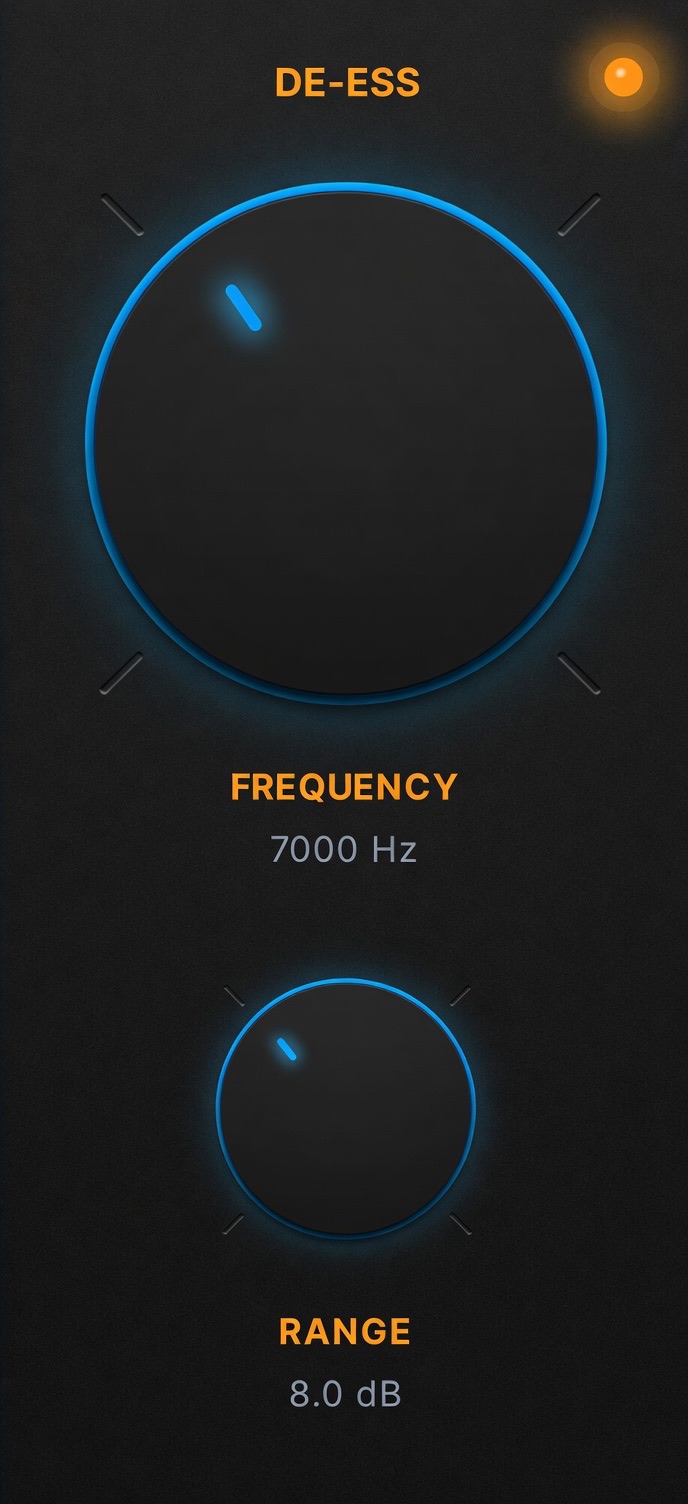
AI Audio Voice Pro De-Esser controls — frequency 7000Hz and range 8dB for sibilance removal in Final Cut Pro

De-Esser — Tames harsh S, SH, and CH sounds. PROFILE detects your speaker's exact sibilance peak and sets the frequency automatically.
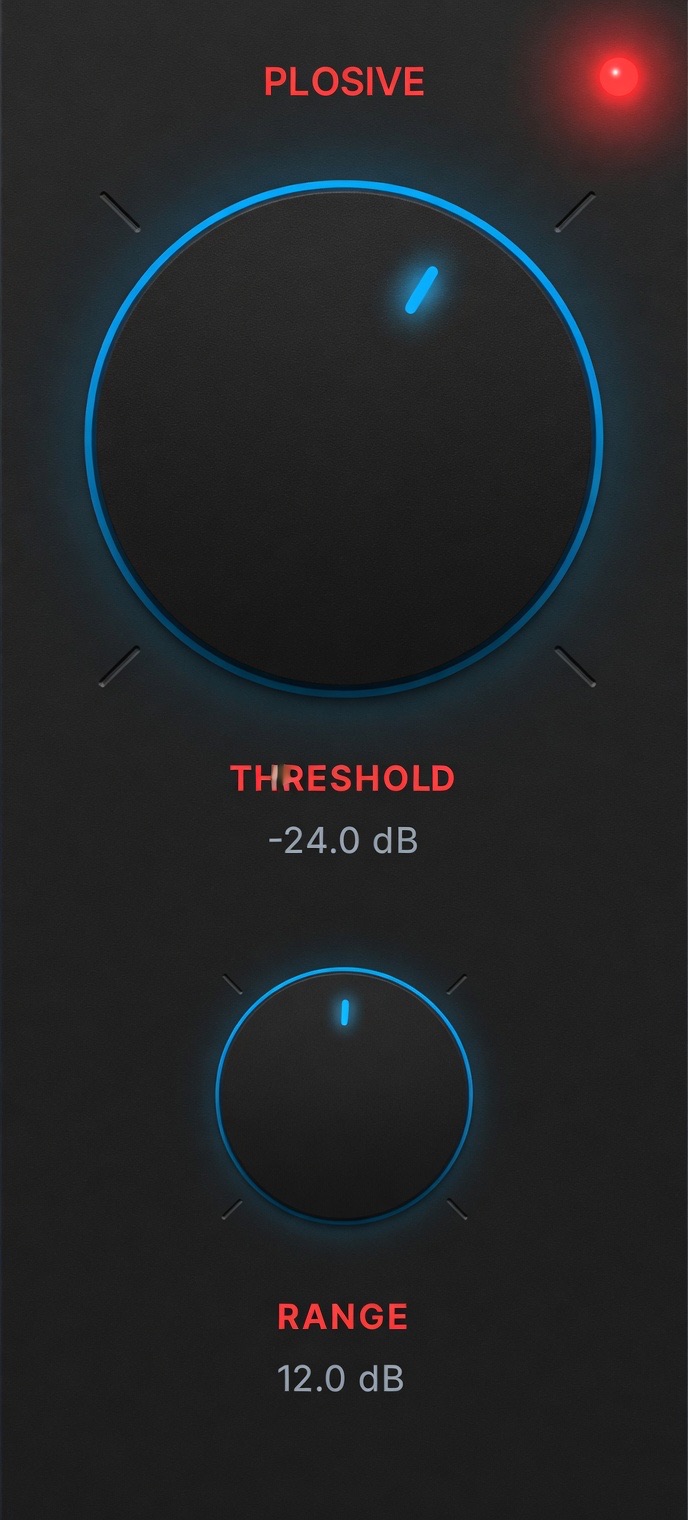
AI Audio Voice Pro De-Plosive controls — threshold -24dB and range 12dB for mic pop removal in Final Cut Pro

De-Plosive — Kills mic pops from P and B sounds without thinning the voice. Applies a low-shelf cut only during the transient.
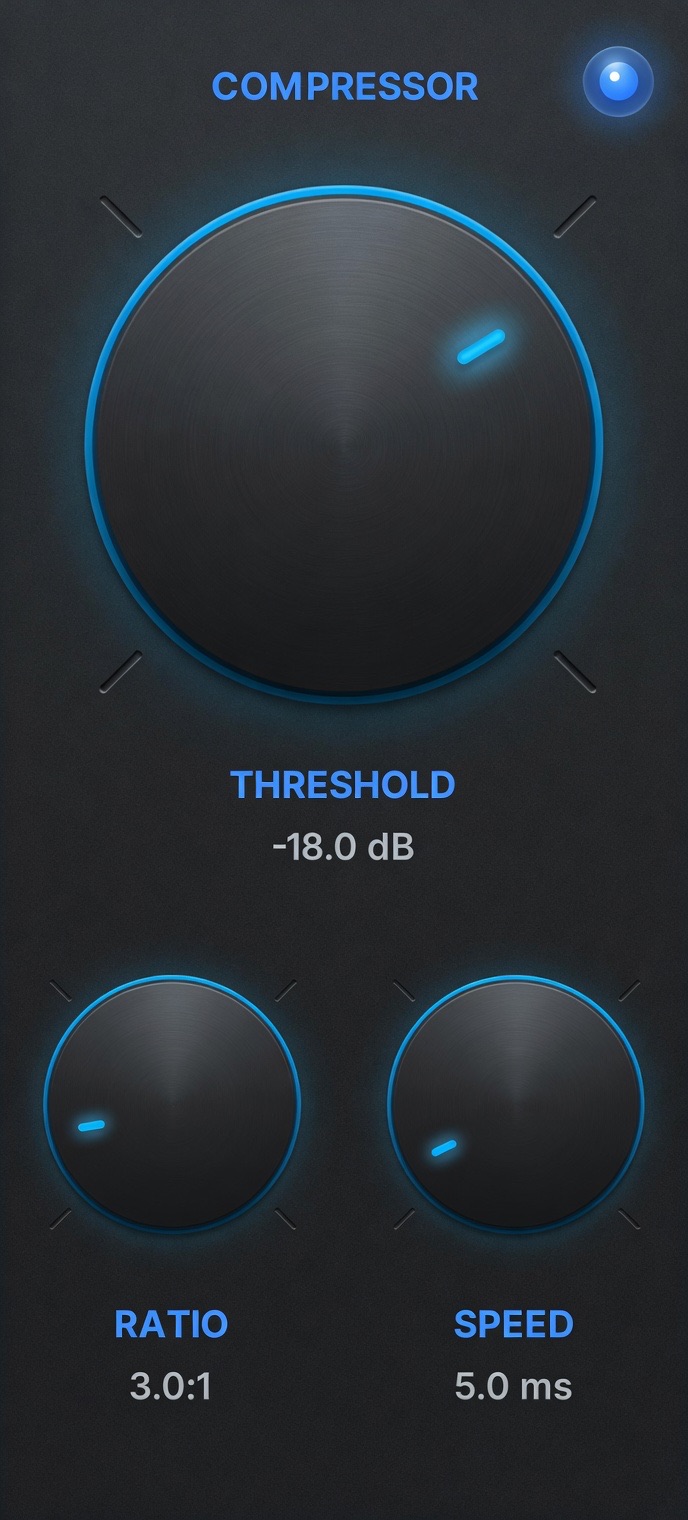
AI Audio Voice Pro Compressor controls — threshold -18dB, ratio 3:1, speed 5ms for voice compression in Final Cut Pro

Compressor — Evens out every phrase. Whispers up, shouts down. One SPEED knob links attack and release for a natural, musical response.
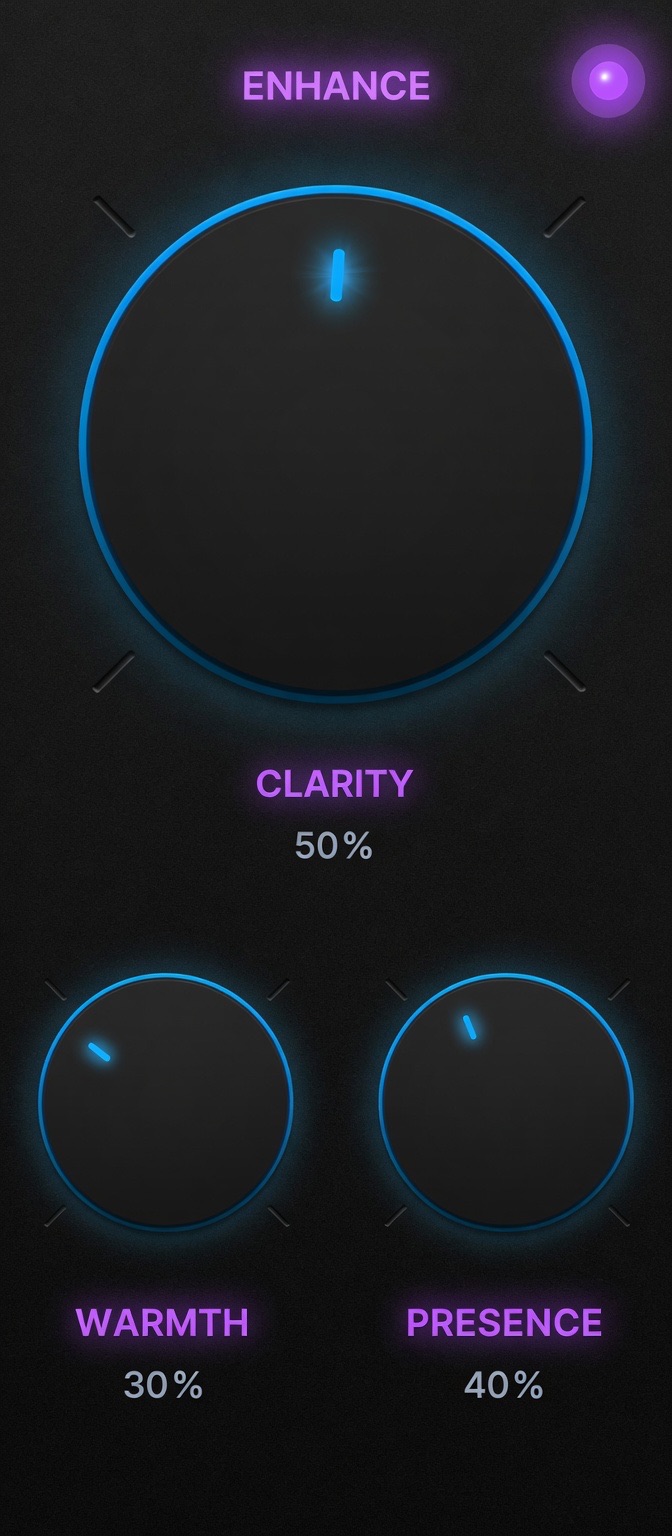
AI Audio Voice Pro Voice Enhancer controls — clarity 50%, warmth 30%, presence 40% for broadcast voice polish in Final Cut Pro

Voice Enhancer — Clarity, warmth, and presence. Three precision IIR filters that add polish without making the voice sound processed.

PROFILE Engine.

14 parameters.
Configured in 3 seconds.

Hit PROFILE. Let the AI listen for 3 seconds. Every single processing parameter — across all 5 stages — is set automatically. The engine measures your noise floor, calculates your dynamic range, runs an FFT to find your speaker's exact sibilance peak, and classifies your recording environment as Studio, Room, Outdoor, Remote, or Camera Mic. Gate threshold, de-esser frequency, compressor ratio, enhancer levels — all dialed in for your specific recording. Then keep every knob exactly where PROFILE set it, or adjust any stage manually. Professional results either way.

The Neural Display.

See exactly what
the plugin is doing.

The top half of the plugin is a real-time scrolling spectrogram powered by Apple's vDSP FFT engine — 128 frequency bins, updated at 60fps. Five color-coded stage indicators pulse across the top of the display in proportion to how hard each stage is working: green for the gate, amber for the de-esser, red for the de-plosive, blue for the compressor, purple for the enhancer. Input and output level bars show before-and-after gain across the entire chain. After profiling, an environment badge shows the detected recording type — Studio, Room, Outdoor, Remote, or Camera Mic — alongside an AI confidence meter.

Two ways to dial it in.

Let AI configure it.
Or do it yourself.

PROFILE Mode

Click once.
Everything configured.

Hit the PROFILE button and let the plugin listen to 3 seconds of your audio. The AI analyzes your noise floor, dynamic range, sibilance frequency peak, and voice activity ratio — then sets all 14 processing parameters automatically. Choose from 10 built-in presets as a starting point, or start from scratch and let PROFILE do the work.

  • 1Apply the plugin to any audio clip in Final Cut Pro
  • 2Optionally select a preset — Interview, Broadcast, Podcast, Documentary, and more
  • 3Click PROFILE — AI listens for 3 seconds and sets all 14 parameters
Manual Mode

Full control.
Every stage.

Every processing stage has its own enable LED and dedicated knobs. Adjust gate threshold and range independently of compression. Set the de-esser frequency for male or female voices. Dial in the compressor ratio for broadcast vs. documentary. Tune the voice enhancer's clarity, warmth, and presence independently. The Wet/Dry slider lets you A/B at any point.

  • 1Enable or disable each stage independently with its color-coded LED
  • 2Adjust primary and secondary knobs per stage — threshold, ratio, frequency, speed
  • 3Use the Wet/Dry slider to blend processed vs. original at any ratio

Technical Specifications

Minimum OSmacOS 13 Ventura (full AI features require macOS 14 Sonoma)
CPUOptimized for Apple Silicon M1/M2/M3/M4
FCP RequirementFinal Cut Pro 10.6 or later
LicenseSingle user — up to 3 Macs
UpdatesFree for life

Runs Inside Final Cut Pro

A native Audio Unit — no bouncing, no rendering, no leaving your timeline. Real-time processing at 60fps.

100% On-Device AI

Neural processing runs entirely on your Mac via Apple's Neural Engine. Your audio never leaves your machine.

Free Lifetime Updates

Buy once. Every future update — new presets, new AI models, new features — is free forever.

Real-time. On-device. Inside Final Cut Pro.

Pro voice chain.
One click.

Neural Gate. De-Esser. De-Plosive. Compressor. Voice Enhancer. A complete broadcast-quality voice processing chain running as a single Audio Unit inside Final Cut Pro — with AI that configures all 14 parameters automatically.

Your Cart