Pixel Film Studios today introduces Glow Lab — a scene-linear glow and bloom engine for Final Cut Pro that ships 18 complete looks, from optically precise physical simulations to stylized cinematic and abstract effects. Every look in Glow Lab is processed in linear light space — the mathematical space in which real light actually scatters and blooms — rather than being applied to the gamma-encoded signal, which is how most video glow filters work and why most video glow filters look wrong. Controls are 100% live: adjust any parameter on any look at any time, in real time, at 4K. No baking. No rendering pass. No waiting. One plugin, 18 looks, physically correct processing. $29.95.
Glow and bloom effects are among the most common treatments in video post-production — and among the most frequently mishandled. The problem is processing space. In the physical world, light blooms in linear light: when a bright source exceeds a threshold, it scatters energy outward in proportion to its linear intensity, not its gamma-encoded display value. Most video glow filters process the gamma-encoded signal — the image as it sits on a broadcast or display timeline — which means they are applying glow math to the wrong numbers. A gamma-encoded value of 0.9 is not proportionally brighter than a value of 0.7 the way the corresponding linear values would be; the relationship is non-linear, and a glow computed on those values produces a bloom that affects midtones too heavily, clips highlights incorrectly, and spreads into shadows in ways that real light does not. Glow Lab processes in scene-linear space and produces results that look like real light because they are computed the way real light works.
Scene-Referred Light: The Right Way to Compute Glow
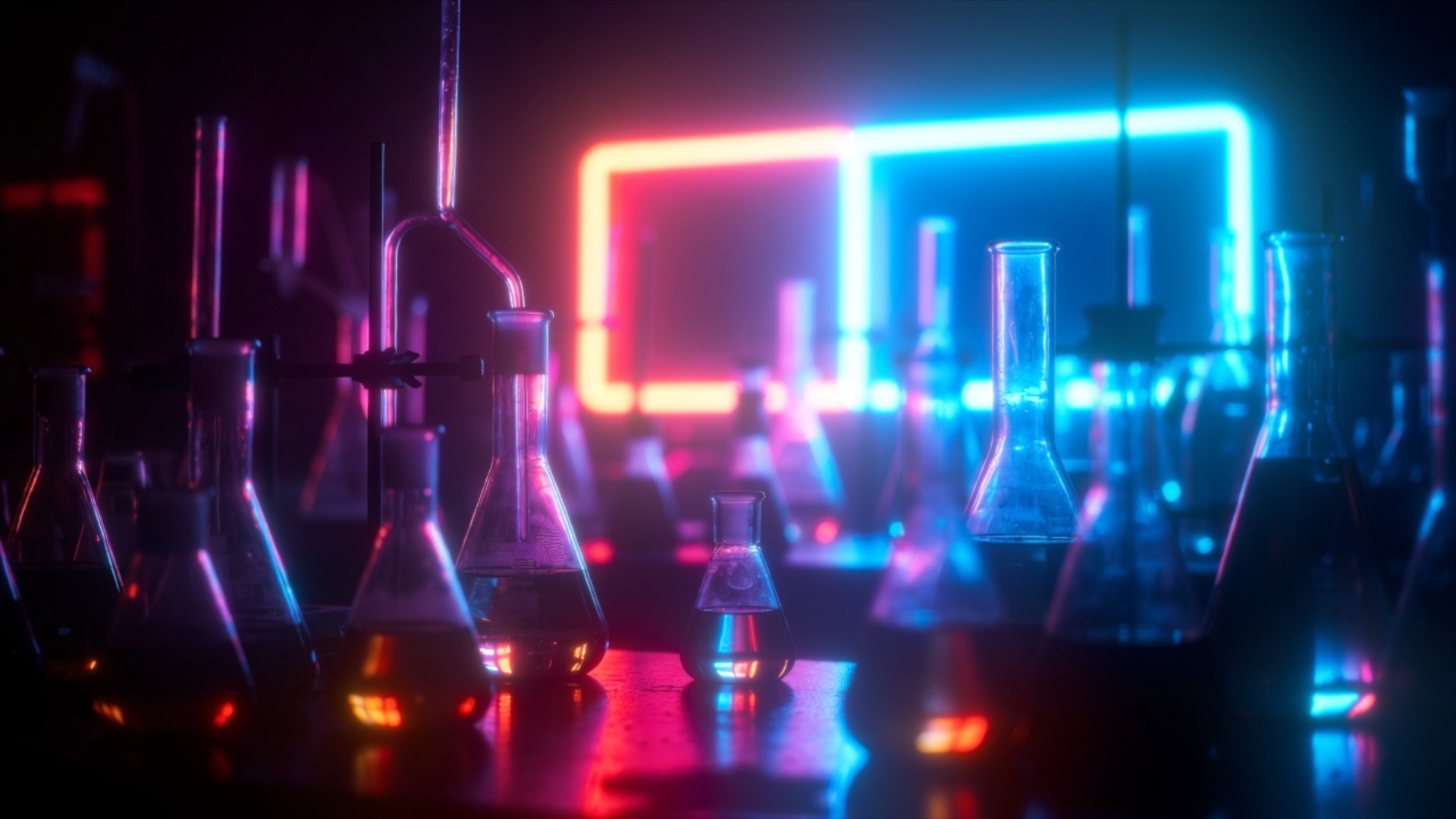
Glow Lab's core technical differentiator is its processing model. Rather than applying glow to the timeline signal as it exists in the FCP viewer — which is gamma-encoded for display — Glow Lab linearizes the signal before processing, computes the bloom in the linear domain, and re-encodes the result back to the timeline's color space. This matches the physics: in the real world, a highlight 16× brighter than a midtone blooms with 16× the energy, not the ~4× a typical camera gamma curve would suggest by the encoded values alone. Scene-linear glow preserves highlight roll-off, keeps bloom contained to the parts of the image where real light would scatter, and produces no midtone contamination.
The practical result is a glow that reads as a photographic or optical effect — the kind that comes from real camera lenses, real film stocks, or real atmospheric conditions — rather than a post-process filter applied to a display-ready signal. Clean Bloom, Diffusion, Halation, and the other physical-reference looks in Glow Lab are only achievable in a scene-linear processing pipeline.


18 Looks: The Complete Glow Vocabulary
Glow Lab ships 18 complete looks, each one a different interpretation of how light blooms and spreads beyond a bright source. They span the full range of production contexts — from optically correct physical simulations to stylized cinematic glows to abstract and artistic treatments.
Optical and physical reference looks:
- Clean Bloom — the purest form of glow: a soft, symmetric halo of scattered energy around bright highlights. Clean Bloom is the physically correct starting point — what a lens produces when a highlight exceeds the glass's ability to contain it cleanly. No color fringing, no directional spreading, no stylization. The glow that every physical optic produces to some degree and that Glow Lab models with mathematical precision.
- Diffusion — a wide, low-contrast spread that simulates shooting through diffusion glass or gauze over the lens. Diffusion desaturates slightly as it blooms, the way photographic diffusion filters do, and adds a softness to the entire image that goes beyond the highlights alone. The glow of old Hollywood: milky, romantic, and completely non-digital in character.
- Halation — the specific red-orange bloom that occurs when overexposed light passes through a film stock's base layer and reflects back through the emulsion. Halation is the most distinctly filmic of Glow Lab's looks: a warm, slightly colored halo that rings only the hottest highlights, with a color cast that varies by film stock and exposure level. Present in virtually every frame of classic 35mm film shot on fast stock or in bright light.
- Anamorphic Streak — the horizontal lens flare artifact produced by the cylindrical elements in anamorphic cinema lenses. In the real world, the streak color, length, and intensity depend on the specific lens glass and coating; in Glow Lab, all three are adjustable. The anamorphic streak is the single most recognized marker of "cinema" in wide-release film — its presence reads immediately as a large-format optical system.
- Star Glint — the cross-shaped diffraction spikes produced by aperture blades in lens irises and by very fine glass coatings. Star Glint is the sparkle on a jewel, the flash on a water surface, the point-source glitter that makes a bright object read as brilliant rather than merely bright. Spike count, length, and rotation are adjustable.
- Eye / Veiling Glare — the stray light that scatters across the entire frame when a strong source is present, reducing contrast globally rather than blooming locally around the source. Veiling glare is what happens when shooting into the sun or toward a strong practical light — a wash of milky, contrast-reducing light across the full image that reads as the lens struggling to contain an overwhelming source.
- God Rays — volumetric light shafts emanating from a bright source, as if the light is passing through atmospheric haze or dust. In real photography, God Rays appear when a strong source is partially occluded — sunlight through cloud breaks, a beam through smoke or fog, light through tree canopies. Glow Lab's God Rays extend from the brightest regions of the image with adjustable length, spread, and intensity.
- Edge Rays — a directional glow that traces the bright edges of subjects in the image, creating the appearance of rim lighting or backlight spill along every illuminated contour. Edge Rays model the specific scatter that occurs when backlit objects create a halo of light along their silhouette edges.
Cinematic and stylized looks:
- Neon — a saturated, colored glow that amplifies the hue of each bright area, producing the specific oversaturated bloom of neon signage, LED panels, and RGB lighting as captured by a camera. Neon glow deepens saturation in the bloom rather than washing out to white, giving highlights a burning, vivid quality.
- Chromatic Aberration — a glow combined with lateral color separation, splitting the bloom into its RGB components and fringing each bright edge with red on one side and blue-green on the other. Chromatic aberration is the color fringing of fast lenses wide open and of older optical designs — Glow Lab's version applies it as a stylized glow treatment rather than a lens simulation.
- Orton — the double-exposure technique pioneered by photographer Michael Orton: a sharp image merged with an overexposed, out-of-focus version of itself, producing a dreamlike, glowing clarity where subjects simultaneously appear sharp and surrounded by a luminous halo. Orton processing gives images a quality that sits between a photograph and a painting.
- Dreamy — a warm, soft-focus bloom that wraps the entire image in gentle light, reducing contrast and adding a golden, hazy quality. Dreamy is the glow of soft-box portraiture, golden-hour landscapes, and romantic cinematography where the light itself feels like a presence in the image.
- Gradient Glow — a glow whose color transitions across the frame according to a gradient, so highlights in different regions of the image bloom in different hues. Gradient Glow creates images where the light itself appears to shift color — sunrise tones in one corner, cool blue in another — with the bloom connecting the color zones through the bright regions.
Abstract and artistic looks:
- Iridescent — a bloom that shifts through spectral hues as it spreads from a highlight, producing the rainbow-in-oil quality of thin-film interference. Iridescent glow is the light of soap bubbles, beetle shells, and interference-patterned glass — a bloom that cycles through the color spectrum rather than spreading as a single hue.
- Aurora — a soft, flowing color bloom that moves through the image in bands of light, referencing the diffuse luminous curtains of Aurora Borealis. Aurora glow brings movement and color to static images, with the bloom appearing as a living atmospheric phenomenon rather than a fixed optical effect.
- Aura Spiral — a rotating, spiraling form of the bloom that wraps bright regions in a flowing helical pattern. The Aura Spiral is the most kinetic of Glow Lab's looks — a glow with inherent motion and directionality, suitable for energy effects, title animations, and any context where the glow should feel alive and in motion.
- Spikes — a multi-directional extension of the Star Glint look, with longer, more numerous spikes that radiate in many directions from every bright point, creating an energetic, starfield-like quality where bright sources appear to radiate beams in multiple directions simultaneously.
- Hue-Selective — a targeted glow that blooms only within a selected hue range, leaving other colors unaffected. Hue-Selective allows a glow to apply exclusively to red highlights while leaving blue and green areas unglow-ed, or to bloom only the golden tones while leaving cooler regions clean — selective bloom matched to the specific hue story of an image.


100% Live Controls: Adjust Anything, Instantly
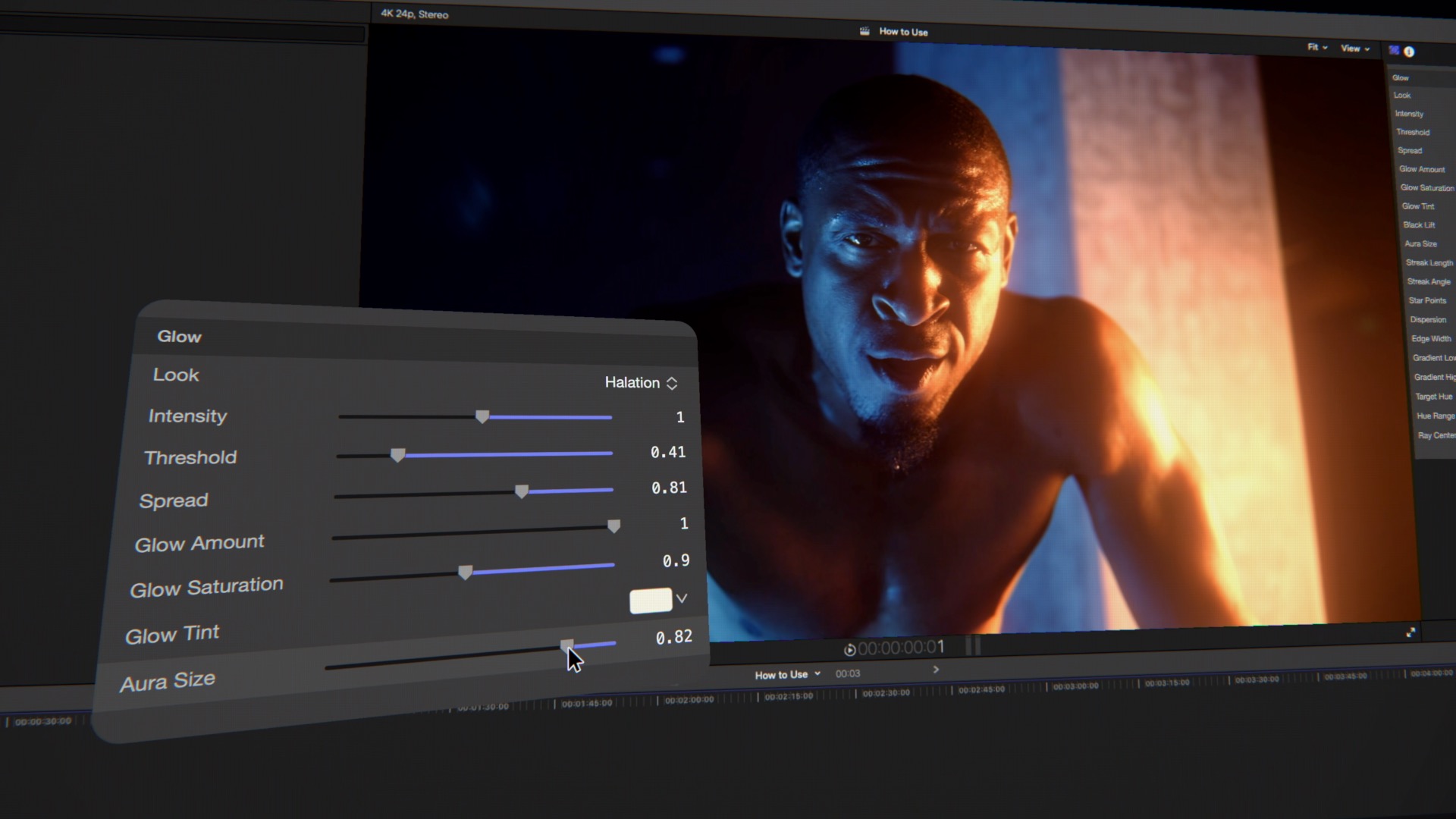
Every parameter in every Glow Lab look responds immediately, in real time, at full 4K resolution. This is not a coincidence of design; it is a core requirement. Glow and bloom are perceptual effects — their character changes with the specific image content, the overall exposure of the clip, the color palette of the scene, and the other color treatments in the edit. The only way to set them correctly is to see them in context as they are adjusted. A glow that looks right on a frame from one scene may look completely wrong on a frame from the next.
Glow Lab's real-time processing at 4K means every slider move, every look switch, every threshold or intensity adjustment is visible immediately on the final rendered frame in the FCP viewer. There is no render pass, no cache warm-up, no moment of waiting to see whether the adjustment produced the desired result. The interaction model is direct: move a slider, see the result, decide immediately whether it is what the image needs.
"Glow is one of those effects that every cinematographer and colorist thinks about constantly, and it has been genuinely hard to do right inside Final Cut Pro. Not because FCP can't do glow — it can — but because most glow filters are working in the wrong math. They're applying bloom to a gamma-encoded signal, which produces results that look digital and fake because they're not computing the physics correctly. Glow Lab computes in scene-linear space, which is where real light lives. The results look real because the math is real."
— Dave Austin, Founder & CEO, Pixel Film Studios
Availability and Pricing
Glow Lab is available today at pixelfilmstudios.com for $29.95. One-time purchase, no subscription. Requires macOS Ventura 13.0 or later and Final Cut Pro 10.8 or later. Universal binary — native Apple Silicon and Intel. Installs via the PFS Installer app or by manual download from the customer account page.
About Pixel Film Studios
Founded in 2011, Pixel Film Studios is the leading developer of professional visual effects, titles, transitions, and generators built exclusively for Apple Final Cut Pro and Motion. Over the past 14 years, the company has shipped more than 2,000 products and fulfilled millions of orders for video editors, content creators, broadcast designers, and post-production professionals in over 100 countries. Learn more at pixelfilmstudios.com.
Press Contact
Colin Bauer
Director of Communications, Pixel Film Studios
[email protected]